
In the roofing industry, your online presence matters just as much as the quality of your workmanship. When homeowners need roof repairs or replacements, they typically turn to Google first. If your business isn’t properly listed, you’re essentially invisible to potential customers searching in your area.
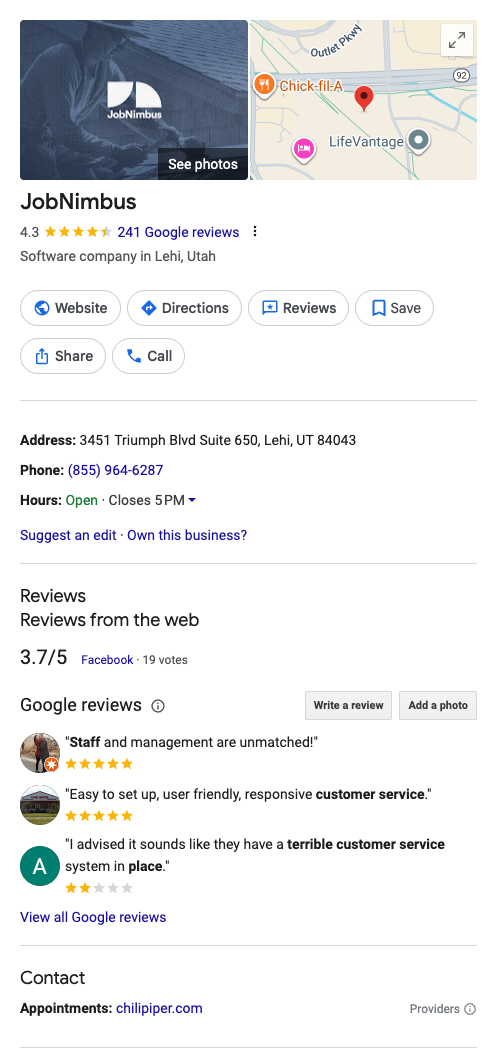
A Google Business Profile (GBP) is your digital storefront that appears in Google Search and Maps. It showcases critical information like your contact details, business hours, services, and customer reviews. For roofing contractors, this free tool offers invaluable visibility to local customers actively searching for your services.
Setting up your Google Business Profile might seem like just another marketing task on your endless to-do list. But unlike many marketing efforts, this one delivers immediate returns with minimal investment of your time. Let’s walk through exactly how to create and optimize your GBP to start attracting more local roofing leads.
Key Takeaways
-
Verified Google Business Profiles get 7x more clicks and 2.7x more customer trust compared to unverified or non-existent profiles, making it essential for roofing businesses targeting local customers.
-
Google’s 2025 update to GBP categories has expanded roofing-specific options, allowing for more precise classification of your services—proper category selection significantly impacts how often you appear in relevant searches.
-
Consistent NAP information (Name, Address, Phone) across all online platforms is critical for local search success; inconsistencies can seriously damage your local search rankings.
-
Customer reviews on your Google profile directly influence your local search rankings, with both quantity and quality of reviews factoring into Google’s algorithm.
-
Regular posts, photos, and Q&A responses on your GBP demonstrate activity that Google rewards with improved visibility—businesses that update their profile weekly see 520% more actions on their listings.
-
Proper setup takes just 30-60 minutes but delivers ongoing leads and credibility, making it one of the highest-ROI marketing activities for roofing contractors.
Why Do Roofers Need a Google Business Profile?
It’s Your Most Visible Online Presence
For roofing contractors, local visibility is everything. When homeowners discover leaky roofs or storm damage, they rarely flip through a phone book. Instead, they grab their smartphones and search “roofers near me” or “roof repair in [city name].” Google Business Profiles dominate these local search results, appearing in both the “Map Pack” (those prominent business listings with the map) and in Google Maps.
Without a properly optimized GBP, your roofing business essentially doesn’t exist to these high-intent, ready-to-buy customers. Consider these compelling statistics:
- 46% of all Google searches have local intent (Think With Google)
- 88% of consumers who conduct a local search on their smartphone visit or call a business within 24 hours (Nectafy)
- Verified Google Business Profiles receive 7x more clicks than unverified listings (Google Internal Data)
- 70% of customers look at multiple businesses before making a decision (BrightLocal)
For roofing businesses specifically, local search visibility is particularly valuable because:
- Most roofing services have geographic limitations (typically within 30-50 miles)
- Roofing purchases are high-value, high-consideration decisions
- Homeowners often need roofing services immediately (emergency repairs)
- Unlike e-commerce, roofing sales typically require a local physical presence
| Without GBP | With Optimized GBP |
|---|---|
| Missing from Map Pack results | Featured prominently in local searches |
| No visibility in Google Maps | Appears in Google Maps with directions |
| No place for customer reviews | Showcases social proof through reviews |
| Limited local SEO effectiveness | Strengthened local SEO performance |
| No insights about customer searches | Access to search query and performance data |
Your Google Business Profile isn’t just another digital marketing tactic—it’s the foundation of your online presence and often the first interaction potential customers have with your business. In the next section, we’ll walk through exactly how to create your profile from scratch.
How Do You Create a Google Business Profile?
Step-by-Step Process to Get Listed
Setting up your Google Business Profile is straightforward but requires attention to detail. Follow these steps to create an effective listing for your roofing business:
1. Sign in with a Google account
Start by visiting Google Business Profile and sign in with your business Google account. It’s best to use a business email rather than a personal one for professional credibility and team access.
2. Add your business name exactly as it appears elsewhere
Enter your roofing company’s name exactly as it appears on your website, business licenses, and other marketing materials. Consistency is crucial for local SEO success.
3. Select the right business category
With Google’s 2025 update to GBP categories, you now have more specific options for roofing businesses:
- Primary category: “Roofing Contractor” (most important)
- Secondary categories can include:
- “Roof Inspection Service”
- “Commercial Roofing Contractor”
- “Residential Roofing Contractor”
- “Gutter Installation Service” (if applicable)
- “Siding Contractor” (if applicable)
Choosing the right categories is crucial—it tells Google what searches your business should show up for.
4. Enter your location information
Add your physical business address. If you operate from a home or don’t want your address displayed publicly, you can select “I deliver goods and services to my customers” and hide your address.
For service area businesses like roofing companies, you’ll then specify cities or ZIP codes where you provide services. Be accurate here—don’t claim to serve areas that are too far from your base of operations.
5. Add contact information
Enter your phone number and website URL. Use your business phone rather than a personal cell, and make sure your website URL is correct.
6. Complete verification
Google needs to verify that your business is legitimate. Verification options typically include:
- Postcard verification (most common)
- Phone verification
- Email verification
- Instant verification (if you’ve already verified your website with Google Search Console)
The postcard method takes 5-7 days but is the most reliable. Once received, follow the instructions to enter the verification code.
7. Optimize your profile completely
After verification, don’t stop! A partially completed profile won’t perform well. Make sure to add:
- Business hours (be accurate about when customers can reach you)
- A detailed business description (300+ words highlighting your roofing specialties)
- Services (list all specific roofing services you offer)
- High-quality photos (more on this in the next section)
- Answers to frequently asked questions
- Business attributes (payment methods, accessibility, etc.)
Template: Google Business Profile Optimization Checklist
□ Business name matches website, licenses, and marketing materials
□ Primary category set to "Roofing Contractor"
□ Secondary categories added (at least 2-3 relevant options)
□ Service area accurately reflects where you work
□ Phone number is correct and rings to a staffed line
□ Website URL links directly to your homepage
□ Business verified via Google's process
□ Hours of operation are accurate and updated for holidays
□ Business description includes targeted keywords (300+ words)
□ All services are listed with descriptions
□ At least 5 high-quality photos uploaded
□ Logo added in the proper field
□ FAQ section populated with common customer questions
□ "Message" feature enabled for customer inquiries
Remember that your Google Business Profile isn’t a “set it and forget it” marketing asset. Regular updates and management are necessary for optimal performance. Local SEO for roofers starts with a properly configured GBP, but ongoing maintenance ensures continued visibility.
What Photos Should You Upload to Your Google Business Profile?
Visual Elements That Build Trust and Generate Leads
The visual presentation of your roofing business matters tremendously. Google’s own data shows that businesses with photos receive 42% more requests for directions and 35% more clicks to their websites than businesses without photos. For roofing contractors specifically, high-quality imagery demonstrates professionalism and showcases your work.
Here are the essential photo types to include:
Cover Photo and Logo
Your logo should be clean, professional, and properly sized (square format, at least 250×250 pixels). For your cover photo, choose an image that represents your business well—perhaps your team in front of your office or trucks, or an especially impressive completed roof project.
Team Photos
Homeowners want to know who will be working on their property. Upload clear, professional photos of:
- Your leadership team
- Office staff
- Crew members (in clean uniforms if possible)
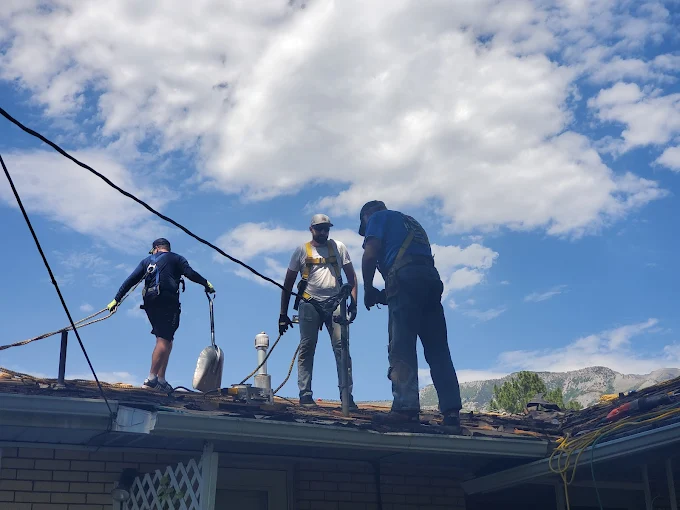
- Team at work (following safety protocols)
These humanize your business and build trust with potential customers.
Project Photos (Before and After)
Nothing sells your work better than visual evidence of your craftsmanship. Include:
- Clear before and after shots from the same angle
- Photos showing different roofing materials you work with
- Images highlighting challenging projects you’ve completed
- Close-ups demonstrating attention to detail
Pro Tip: Create a consistent format for project photos with your company name and “Before/After” text overlay for maximum branding impact.
Interior and Exterior Business Photos
If you have a physical office, showroom, or warehouse, include photos of:
- Your building exterior with signage
- Reception or waiting area
- Conference room where you meet clients
- Material samples or displays
- Company vehicles (clean and branded)
Photo Upload Best Practices
Follow these guidelines for maximum impact:
- Use high resolution: Minimum 720px wide, ideally 1080px or higher
- Optimize file size: Keep under 5MB per image
- Use proper lighting: Bright, clear images perform best
- Stay current: Refresh photos seasonally (at least quarterly)
- Add geotags: When possible, tag the location where photos were taken
- Follow naming conventions: Use descriptive filenames with keywords (e.g., “ABC-Roofing-Shingle-Installation-Atlanta.jpg”)
- Add captions: Describe what’s happening in each photo
| Photo Type | Recommended Quantity | Update Frequency |
|---|---|---|
| Logo | 1 (update if rebranding) | As needed |
| Cover photo | 1 (can rotate seasonally) | Quarterly |
| Team photos | 5-10 | Semi-annually |
| Project photos | 15-20 (minimum) | Monthly (add new projects) |
| Office/facility | 5-8 | Annually or after renovations |
| Vehicles/equipment | 3-5 | When new equipment is acquired |
Remember that photos aren’t just for decoration—they’re powerful selling tools. A study by BrightLocal found that 60% of consumers give more attention to local search results with images. For roofing contractors, quality project photos can make the difference between getting the call or being passed over.
Looking to boost your online presence beyond Google? Check out our guide on creating the perfect local business listing for your roofing business for other platforms that can complement your Google Business Profile.
How Do You Optimize Your Google Business Profile for Roofing Keywords?
Strategic Keyword Placement for Maximum Visibility
To appear in local searches, your Google Business Profile needs to be optimized with the right keywords that potential customers use when looking for roofing services. Unlike traditional SEO where you can stuff keywords throughout your content, GBP optimization requires strategic placement in specific fields.
Identify Your Target Keywords
Start by making a list of keywords relevant to your roofing business:
Primary Keywords:
- Roofing contractor [city]
- Roof repair [city]
- Roof replacement [city]
- Emergency roof repair [city]
- Commercial roofing [city]
- Residential roofing [city]
Secondary Keywords:
- Shingle roof installation
- Metal roofing contractor
- Flat roof repair
- Storm damage roof repair
- Roof inspection
- Roof leak repair
- Gutter installation (if applicable)
Long-Tail Keywords:
- How much does a new roof cost in [city]
- Best roofing contractor for storm damage in [city]
- Affordable roof replacement near me
- Emergency roof tarp service after storm
Strategic Keyword Placement
Now that you have your keywords, here’s where to use them in your Google Business Profile:
1. Business Description (750 characters max)
This is your prime keyword real estate. Write naturally but include:
- Your primary keyword in the first sentence
- 2-3 secondary keywords throughout the description
- Location terms (city, neighborhood, county names)
- Specific services with natural keyword inclusion
Example Description Template:
[Company Name] is a trusted [city] roofing contractor with [X years] of experience in residential and commercial roof replacement, repair, and installation. Our licensed, insured team specializes in [specific services like shingle, metal, flat roofing] for homeowners throughout [service areas].

We're known for our [unique selling points: e.g., same-day emergency repairs, lifetime workmanship warranty, certified installers]. From minor leak repairs to complete roof replacements, we handle every project with professionalism and attention to detail.

Contact us today for a free roof inspection and estimate. Proudly serving [list 2-3 major service areas] and surrounding communities since [year].
2. Services Section
Create detailed service descriptions for each roofing service you offer:
- Title each service with a keyword-rich name (e.g., “Emergency Roof Leak Repair”)
- Write 1-2 sentences describing each service
- Include price ranges if your pricing is competitive
- Add a call to action for each service
3. Q&A Section
Seed your own Q&A section with frequently asked questions that include keywords:
- “How much does roof replacement cost in [City]?”
- “Do you offer emergency roof repair in [City]?”
- “What types of roofing materials do you install?”
- “How long does a roof replacement take?”
Provide thorough, helpful answers (2-3 sentences) that naturally include keywords.
4. Posts
Regular posts keep your profile active and provide more keyword opportunities:
- Create posts about completed projects (with photos)
- Share seasonal roofing tips
- Announce special offers or financing options
- Highlight team achievements or certifications
5. Reviews
While you can’t control exactly what customers write, you can gently suggest review topics:
- “We’d appreciate your feedback on our [specific service].”
- “If you were satisfied with your recent [service type], please consider leaving us a review.”
Respond to all reviews using keywords naturally: “Thank you for trusting us with your roof replacement in [City]. We’re glad our team provided excellent service.”
Keyword Optimization Tracker
Use this table to track your keyword placement across your profile:
| Keyword | Business Description | Services | Posts | Q&A | Photo Captions |
|---|---|---|---|---|---|
| Roofing contractor [city] | ✓ | ✓ | ✓ | ✓ | |
| Roof replacement [city] | ✓ | ✓ | ✓ | ||
| Emergency roof repair | ✓ | ✓ | |||
| [Add your keywords] |
Remember to get a free SEO audit if you want expert help identifying the most valuable keywords for your specific market. Proper keyword research can reveal opportunities your competitors might be missing.
How Do You Manage and Respond to Google Reviews?
Building a Five-Star Reputation
Reviews are perhaps the most critical element of your Google Business Profile. According to BrightLocal, 93% of consumers use reviews to determine if a local business is good or bad, and roofing customers particularly rely on reviews due to the high cost and importance of roofing work.
Soliciting Reviews Effectively
First, you need a systematic approach to generating a steady stream of reviews:
-
Ask at the right moment: Request reviews at moments of peak satisfaction—immediately after project completion, after a compliment, or when customers express appreciation.
-
Make it easy: Create a short, direct link to your review page using Google’s Marketing Kit. Send this via text or email with simple instructions.
-
Create a review request template:
Hi [Customer Name],

Thank you for choosing [Your Roofing Company] for your recent [specific project]. We're committed to providing excellent service, and your feedback helps us maintain our high standards.

Would you take a moment to share your experience in a Google review? It only takes a minute:

[Your Direct Review Link]

We appreciate your business and look forward to serving you again!

[Your Name]
[Your Company]
-
Train your team: Ensure everyone from office staff to project managers understands when and how to request reviews.
-
Follow up: If customers don’t leave a review after the first request, send a gentle reminder about a week later.
Responding to Reviews Professionally
How you respond to reviews significantly impacts potential customers’ perception of your business:
For Positive Reviews:
- Respond within 24-48 hours
- Thank the customer by name
- Mention specific details about their project (reinforces authenticity)
- Express appreciation for their business
- Include your business name and a relevant keyword
Example:
Thank you, [Customer Name], for the wonderful 5-star review! We're thrilled that you're happy with your new shingle roof. Our team at [Company Name] takes pride in delivering quality roofing services to homeowners in [City]. We appreciate your business and look forward to serving any of your future roofing needs!
For Negative Reviews:
- Respond quickly (within 24 hours if possible)
- Stay calm and professional
- Apologize for their negative experience
- Take responsibility (even if you feel the criticism is unfair)
- Move the conversation offline by providing contact information
- Outline steps you’re taking to address the issue
- Offer to make it right
Example:
Hello [Customer Name], I'm [Your Name], the [Owner/Manager] at [Company Name]. I'm genuinely sorry to hear about your experience with your roof repair. This doesn't meet our standards, and I understand your frustration. I'd like to personally discuss your concerns and make this right. Please contact me directly at [phone number] or [email]. We value your feedback and are already implementing changes to ensure this doesn't happen again.
Handling Review Problems
If you receive a fake or inappropriate review:
- First, respond professionally noting that you don’t have record of providing service to them
- Flag the review through your GBP dashboard
- Appeal to Google with evidence if it violates their policies
- Consider reaching out to the reviewer directly if possible
For review conflicts:
- Never argue or become defensive in public responses
- Always take heated discussions offline
- Consider offering a reasonable resolution, even if you feel you’re right
- Focus on the future relationship, not winning the argument
Review Management Dashboard
Create a simple review tracking system to ensure consistent management:
| Date | Customer | Rating | Responded | Follow-up Needed | Resolution |
|---|---|---|---|---|---|
| 11/15/25 | J. Smith | ★★★★★ | Yes – Same Day | No | Sent thank you card |
| 11/12/25 | T. Jones | ★★ | Yes – Same Day | Yes | Called to resolve, scheduled inspection |
Regular review management isn’t just good for optics—it directly impacts your local search rankings. Google has confirmed that both review quantity and quality are ranking factors for local search results.
Want to build a comprehensive reputation management system for your roofing business? Get a free SEO audit that includes review strategy recommendations tailored to your specific market and competition.
How Often Should You Update Your Google Business Profile?
Maintaining an Active Profile for Maximum Visibility
Google rewards active, regularly updated business profiles with better visibility in search results. Unlike a static website, your GBP requires ongoing attention to perform at its best. Here’s how to keep your profile fresh and engaging:
Weekly Updates (Ideal Frequency)
Posts: Create at least one post weekly about:
- Recent completed projects (with photos)
- Seasonal roofing tips and advice
- Special promotions or financing options
- Employee spotlights or company news
- Educational content about roofing materials or processes
Google’s algorithm notices regular posting activity, and businesses that post weekly see 520% more actions on their listings compared to inactive profiles (according to BrightLocal).
Monthly Maintenance Tasks
Set a recurring calendar reminder to perform these monthly tasks:
-
Check and update business information:
- Verify hours are still accurate
- Confirm phone number and website links work
- Update any seasonal service changes
-
Add new photos:
- Recent project completions
- Team photos
- New equipment or vehicles
- Seasonal images relevant to roofing
-
Review and respond to any new Q&A items
-
Check insights and analytics:
- Which search queries are bringing visitors to your profile
- What actions they’re taking
- How your profile compares to competitors
Quarterly Strategic Updates
Every three months, perform a deeper review and optimization:
-
Service offerings review:
- Add any new services
- Update descriptions of existing services
- Adjust pricing information if needed
-
Keyword optimization audit:
- Review your business description
- Update services with seasonal keywords
- Add new Q&As with trending search terms
-
Competitor analysis:
- Check top competitors’ profiles
- Note any new features or services they’re promoting
- Identify gaps or opportunities to differentiate
-
Review performance metrics:
- Track calls, website clicks, and direction requests
- Compare to previous quarters
- Set goals for improvement
Annual Comprehensive Audit
Once yearly, typically during your slower season:
-
Complete profile audit:
- Verify all information is current and accurate
- Update business description with new milestones or achievements
- Refresh all photos that are more than a year old
-
Review category selection:
- Check if Google has added new relevant categories
- Ensure your primary and secondary categories still align with services
-
Check attributes:
- Update business attributes (payment methods, accessibility features)
- Add any new relevant attributes Google has introduced
Update Schedule Template
Use this simple schedule to maintain your GBP:
| Frequency | Tasks | Who’s Responsible | Time Required |
|---|---|---|---|
| Weekly | Create and publish new post | [Marketing Person] | 15-30 minutes |
| Monthly | Check info, add photos, review insights | [Office Manager] | 30-45 minutes |
| Quarterly | Service review, keyword optimization | [Owner/Marketing] | 1-2 hours |
| Annually | Comprehensive audit | [Owner + Team] | 2-3 hours |
Pro Tip: Set up Google Alerts for your business name and “Google review” to get notified when new reviews come in, allowing for prompt responses.
Remember that consistency is key. It’s better to post once a week without fail than to post daily for a week and then disappear for months. Google’s algorithm recognizes and rewards regular activity patterns.
For roofing businesses with multiple locations, consider using a GBP management tool to streamline updates across all your profiles. Many roofing marketing strategies include dedicated resources for local listing management due to its high ROI.
What Are Common Google Business Profile Mistakes Roofers Make?
Avoiding Critical Errors That Hurt Visibility
Even well-intentioned roofing contractors often make mistakes with their Google Business Profiles that can seriously hamper visibility and lead generation. Let’s examine the most common errors and how to fix them:
1. Keyword Stuffing in Business Name
The Mistake: Adding keywords like “Best Roofing Contractor | Roof Repair | Metal Roofing” to your business name field.
Why It’s Harmful: This violates Google’s guidelines and can result in suspension. Google expects your business name to exactly match your real-world business name.
The Fix: Use only your legal business name as it appears on your business license, website, and other marketing materials. You can use keywords in other fields like description and services instead.
2. Inaccurate or Inconsistent NAP Information
The Mistake: Having different versions of your Name, Address, and Phone number across the internet.
Why It’s Harmful: Inconsistent NAP information confuses Google’s algorithms and can significantly hurt your local search rankings.
The Fix: Ensure your NAP information is identical everywhere online—your website, GBP, social media, and all directory listings. Even small differences like “Street” vs. “St.” matter.
3. Choosing the Wrong Business Categories
The Mistake: Selecting too many categories or incorrect categories for your business.
Why It’s Harmful: Your primary category especially influences what searches you appear in. Wrong categories mean you show up for irrelevant searches or miss relevant ones.
The Fix: Select “Roofing Contractor” as your primary category, then add only relevant secondary categories that accurately reflect services you actually provide.
4. Neglecting or Mishandling Reviews
The Mistake: Ignoring reviews, responding unprofessionally, or getting fake reviews.
Why It’s Harmful: Poor review management damages consumer trust and can violate Google’s policies, potentially resulting in penalties.
The Fix: Respond to all reviews within 48 hours. Address negative reviews professionally. Never purchase fake reviews or engage in review manipulation.
5. Incomplete or Minimal Information
The Mistake: Only filling out the basic required fields and ignoring optional sections.
Why It’s Harmful: Incomplete profiles signal low quality to both Google and potential customers. Google rewards profiles with complete information.
The Fix: Complete every possible field in your profile, including business description, services, Q&A section, hours, special hours, attributes, photos, and posts.
6. Poor Quality or Missing Photos
The Mistake: Having few or low-quality photos, or using stock images.
Why It’s Harmful: Visual content is critical for customer engagement. Profiles with poor imagery get fewer clicks and conversions.
The Fix: Add high-quality, original photos of your actual work, team, and business. Include at least 15-20 images across different categories.
7. Not Monitoring for Unauthorized Changes
The Mistake: Failing to check your profile regularly for changes made by others.
Why It’s Harmful: Anyone can suggest edits to your GBP, including competitors or malicious actors. These changes can include incorrect hours, phone numbers, or even marking your business as permanently closed.
The Fix: Enable email notifications for profile changes and check your profile weekly for unauthorized edits. Promptly fix any incorrect changes.
8. Creating Multiple Profiles for the Same Location
The Mistake: Having separate profiles for “Residential Roofing” and “Commercial Roofing” at the same address.
Why It’s Harmful: Multiple listings for the same business at one location violate Google’s guidelines and can result in all profiles being removed.
The Fix: Maintain one profile per physical location and use categories and services sections to indicate your full range of offerings.
Common GBP Violations Checklist:
□ Business name contains keywords or marketing phrases
□ Address doesn't match other online listings exactly
□ Using a virtual office or P.O. Box as your address
□ Selected categories don't match actual services
□ Created multiple profiles for one location
□ Using fake or purchased reviews
□ Using stock photos instead of actual business images
□ Setting service areas too broad (beyond where you actually work)
□ Inappropriate content in posts or photos
□ Keyword stuffing in business description
Avoiding these common mistakes will help ensure your Google Business Profile remains in good standing and performs optimally in local searches. Remember that Google regularly updates its guidelines, so staying informed about best practices is essential.
Need help assessing your current Google Business Profile for potential issues? Get a free SEO audit that includes a thorough review of your GBP and recommendations for improvement.
Conclusion
Creating and optimizing your Google Business Profile is one of the most important—and fortunately, one of the easiest—marketing actions you can take for your roofing business. In an industry where local visibility directly correlates to lead generation, your GBP serves as your digital storefront, often creating the critical first impression that determines whether a potential customer contacts you or your competitor.
With verified Google Business Profiles receiving 7x more clicks and significantly higher trust from customers, the hour or so you spend setting up and optimizing your profile delivers an exceptional return on investment. Unlike many marketing tactics that require ongoing expenses, your GBP is entirely free—costing only the time it takes to maintain.
Remember that your Google Business Profile isn’t static—it requires regular updates and management to perform at its best. Make a commitment to post weekly, respond to reviews promptly, and conduct monthly maintenance checks. These small actions create compound benefits for your visibility over time.
As Google continues to enhance the features available for local businesses, including the 2025 update to roofing-specific categories, staying current with best practices becomes even more important. Your well-maintained GBP not only improves your search visibility but also builds credibility with potential customers who research before calling.
Ready to take your online presence beyond just Google? The next step is to ensure your roofing business is properly represented across all relevant platforms. Get a free SEO audit to identify opportunities for improving your entire digital footprint and driving more qualified leads to your business.
FAQs
Q: How long does it take for a new Google Business Profile to start appearing in search results?
A: New profiles typically begin appearing in search results within 1-2 weeks after verification. However, achieving prominent placement in competitive searches can take 2-3 months of active profile management, accumulating reviews, and establishing signals of legitimacy. Google’s algorithm needs time to build confidence in new listings before giving them prime visibility.
Q: Can I create a Google Business Profile if I work from home or don’t have a physical office?
A: Yes, roofing contractors without commercial offices can still create GBPs. When adding your address, select “I deliver goods and services to my customers” and check the box to hide your address. You’ll then specify service areas where you work instead of displaying a physical location. You must still use a legitimate physical address for verification purposes, but it won’t be visible to the public.
Q: What should I do if someone left a fake or malicious review on my profile?
A: First, respond professionally to the review noting that you don’t have any record of providing service to them. Then flag the review through your GBP dashboard by clicking the three dots next to the review and selecting “Flag as inappropriate.” Google will review it against their policies. Reviews that clearly violate Google’s guidelines (containing hate speech, off-topic content, or demonstrably false claims) are most likely to be removed. While waiting for Google’s decision, focus on generating more legitimate positive reviews to dilute the impact.
Q: How many categories should I select for my roofing business?
A: Select one primary category that best represents your core business (“Roofing Contractor”) and 2-4 secondary categories that accurately reflect additional services you offer. Only select categories for services you actually provide—adding irrelevant categories violates Google’s guidelines and can harm your visibility. With Google’s 2025 update to GBP categories, you now have more roofing-specific options to choose from, including specialized categories for commercial roofing, roof inspection, and specific material types.
Q: Do I need to hire someone to manage my Google Business Profile, or can I do it myself?
A: Most roofing contractors can successfully manage their own GBP with a time investment of 1-2 hours per month. The interface is user-friendly, and basic optimization strategies are straightforward to implement. However, if you’re in a highly competitive market or don’t have time for regular updates, professional management can be worthwhile. The most important factor is consistency—a DIY approach with weekly attention will outperform a professionally set-up profile that’s then neglected. Consider starting with the free SEO audit to assess your current situation before deciding if professional help is needed.
Q: How can I tell if my Google Business Profile optimization efforts are working?
A: Google provides performance insights directly in your GBP dashboard. Monitor these key metrics monthly: (1) Search views: how many people saw your business in search results; (2) Customer actions: calls, website visits, and direction requests; (3) Photo views: engagement with your visual content; and (4) Query reports: which search terms are triggering your listing. Compare these metrics month-over-month and track them against your lead generation. Most roofing contractors should see steady improvement in visibility over 3-6 months with proper optimization and consistent management.